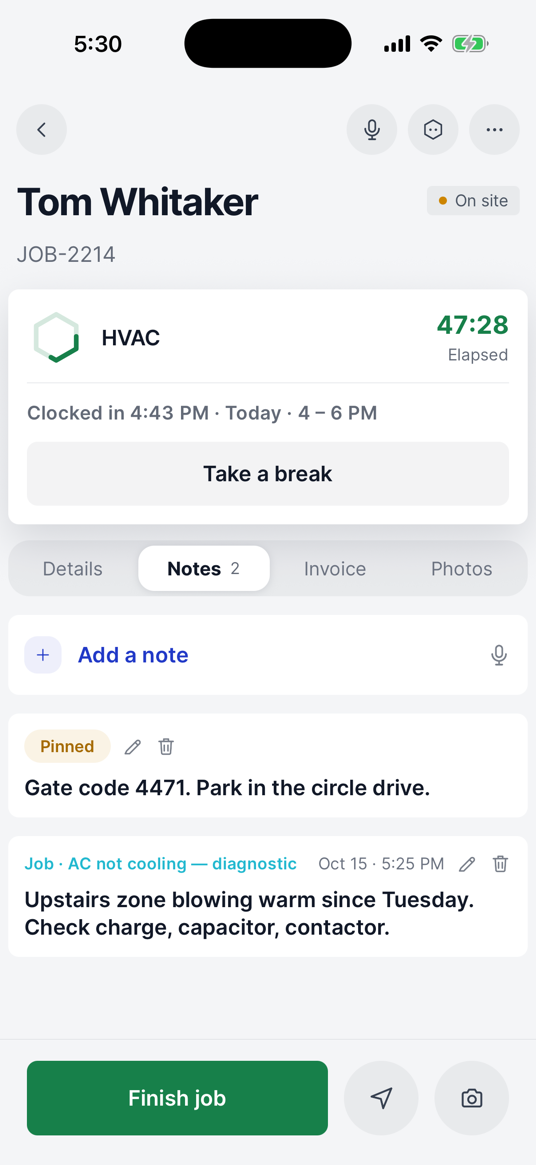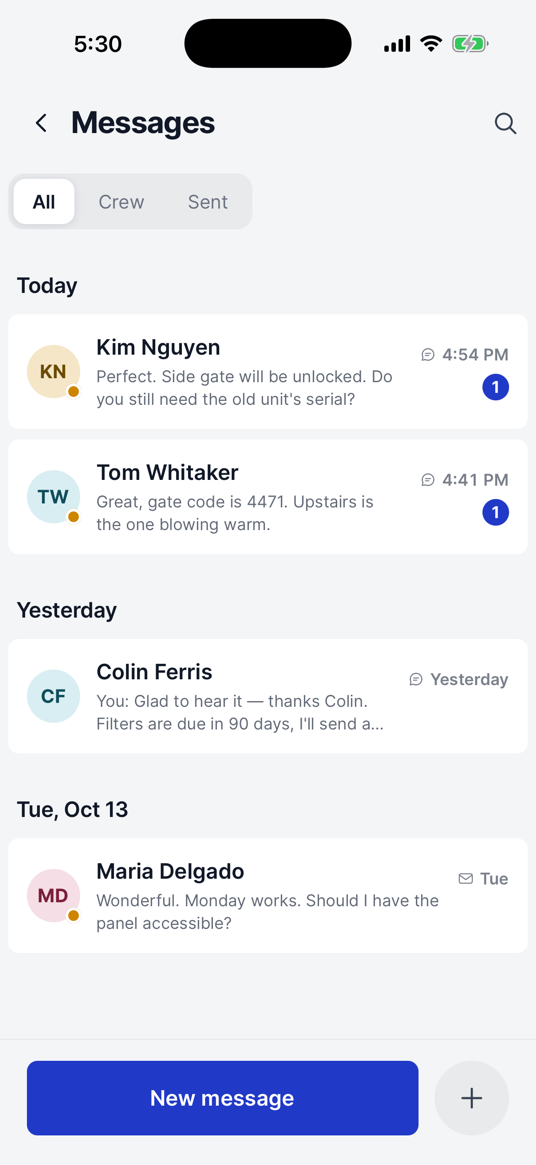
Run your home service business from one app.
Manage leads, customers, scheduling, jobs, estimates, invoices, payments and your team — right from your phone.
14 days free · Cancel anytime


Everything you need, organized into five tabs.

Jobs
1/4
Paid today
$3,240
Outstanding
$19.3k
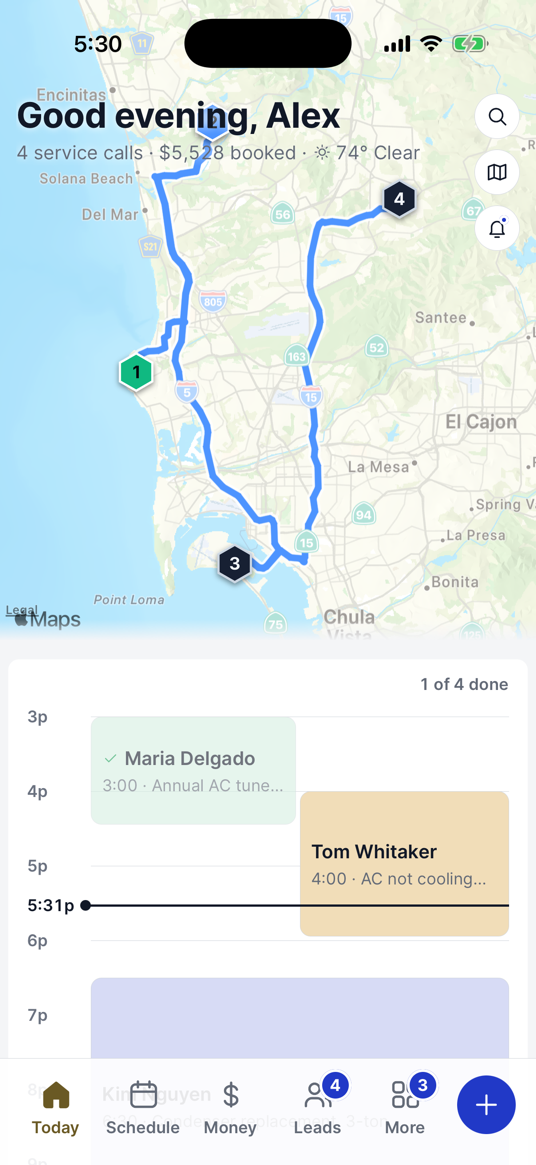
See what’s happening today
Today’s jobs, the day’s map, money in, what is still owed and any new leads — all on one screen.
Start free
- 9:00Deck repair · Marcus + LeeNotified
- 11:30Gutter clean · YouConfirmed
- 2:00Bathroom refit · $2,300Booked
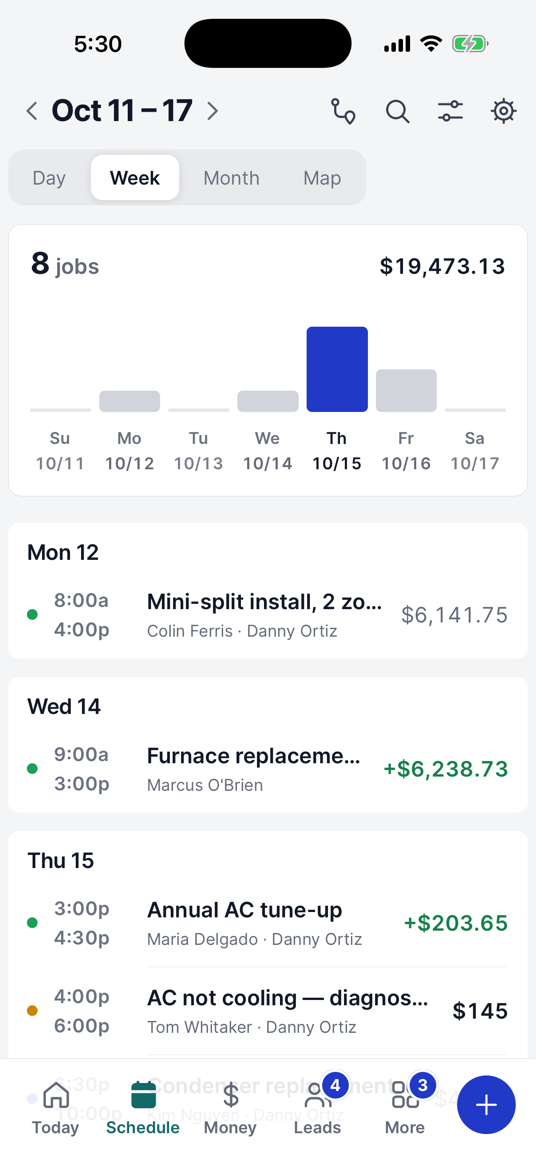
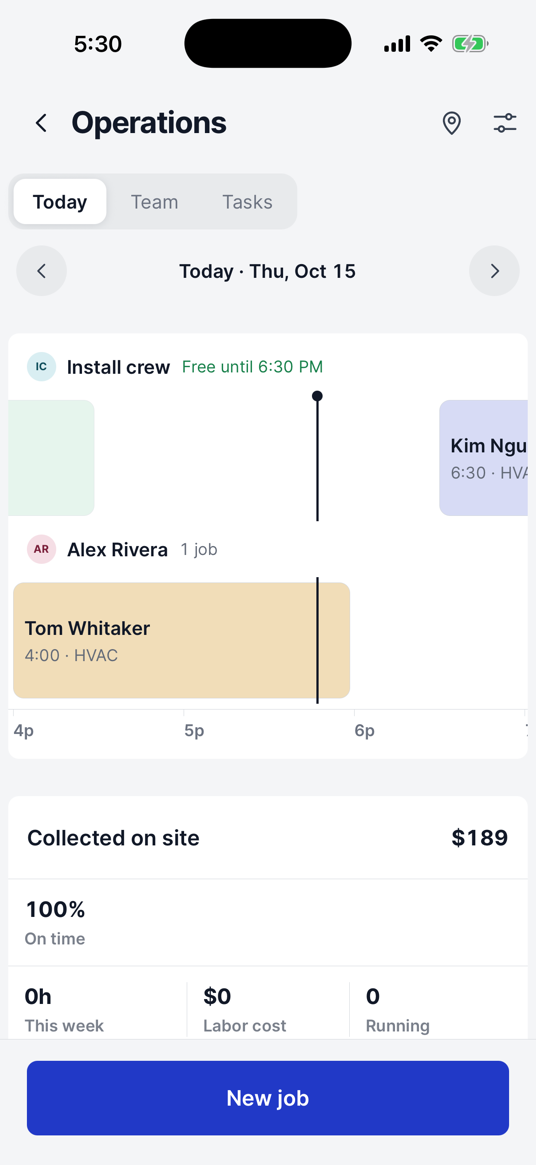
Schedule the day your way
See your jobs by day, week, month or map, with what is coming up and who is on it.
Start free
- +$1,450Invoice paid — deck repairCard
- +$690Deposit — bathroom refitPay link
- $310Past due — 12 daysReminder sent
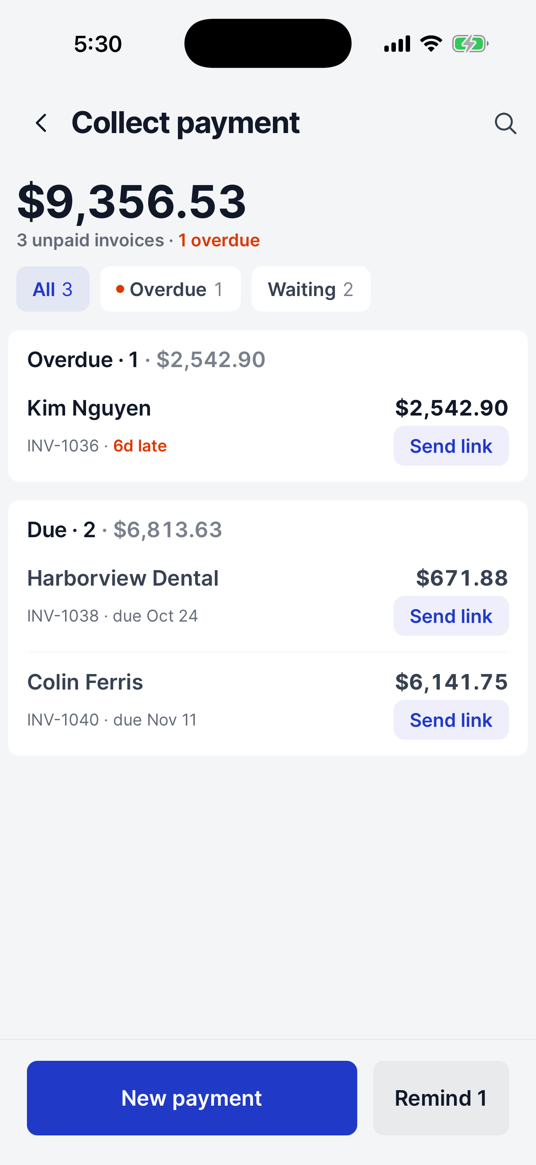
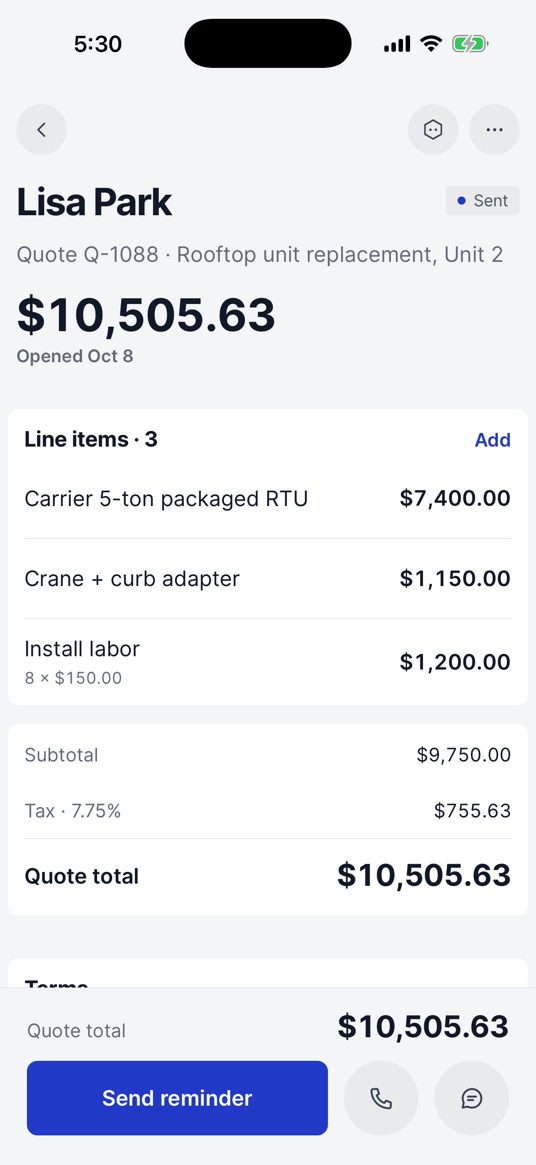
What came in. What is still owed.
Payments collected, invoices still out, what is overdue, estimates you have sent, and every payment as it lands.
Start free
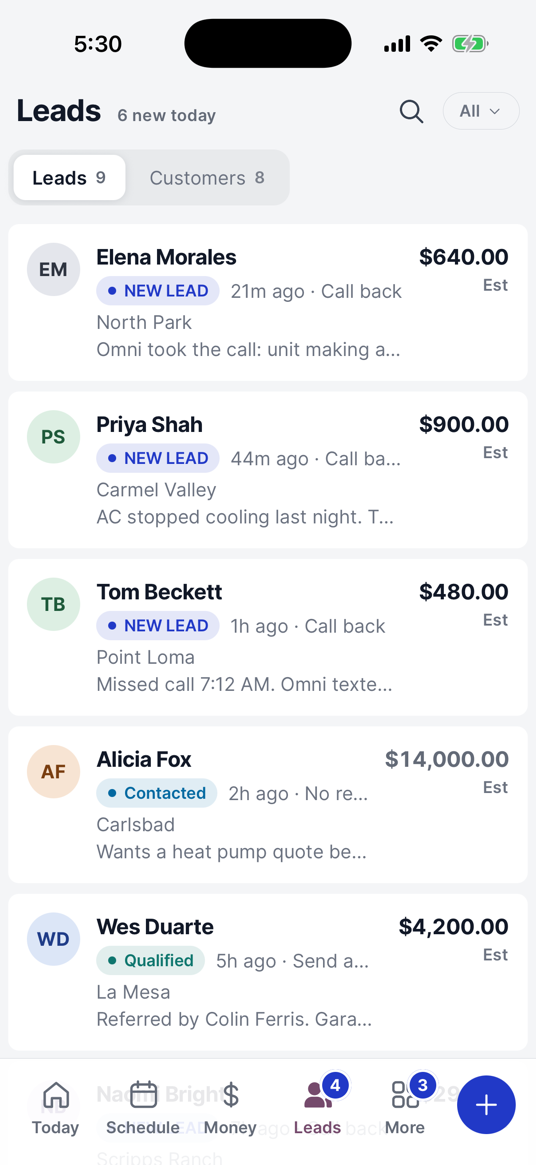
- 7:42 AMMissed call, new leadTexted
- 7:43 AM“Quote a re-roof?”Qualified
- 8:10 AMEstimate sent · $4,200Quoted
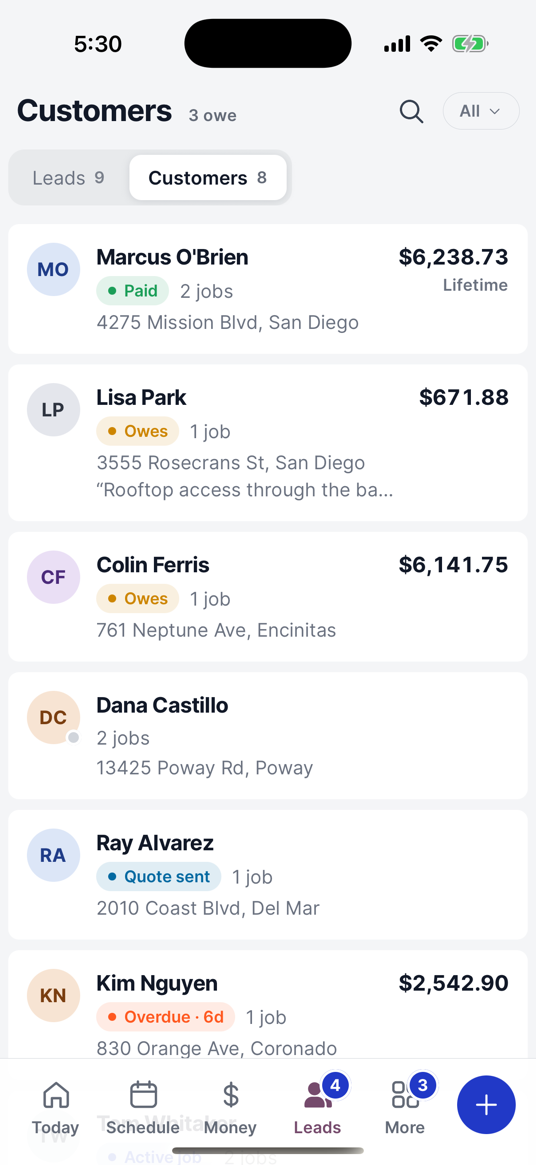
Keep every lead in one place
New inquiries, the follow-ups you owe, the estimates you have out, and where each one stands.
Start free
Everything else, one tap away
Customers, reports, your team, the price book, messages, settings — and the rest of the business.
Start freeEverything the app covers, in four parts.
One plan. Everything you need to run the business.
One plan with the tools you need to run your business. No feature tiers, and no separate AI add-on.
Trades ready to go
AI is in the plan, not an add-on
Approve what Omni sends and changes
A month. That is the whole price.
14 days free · Cancel anytime
Omni does the typing. You keep the last word.
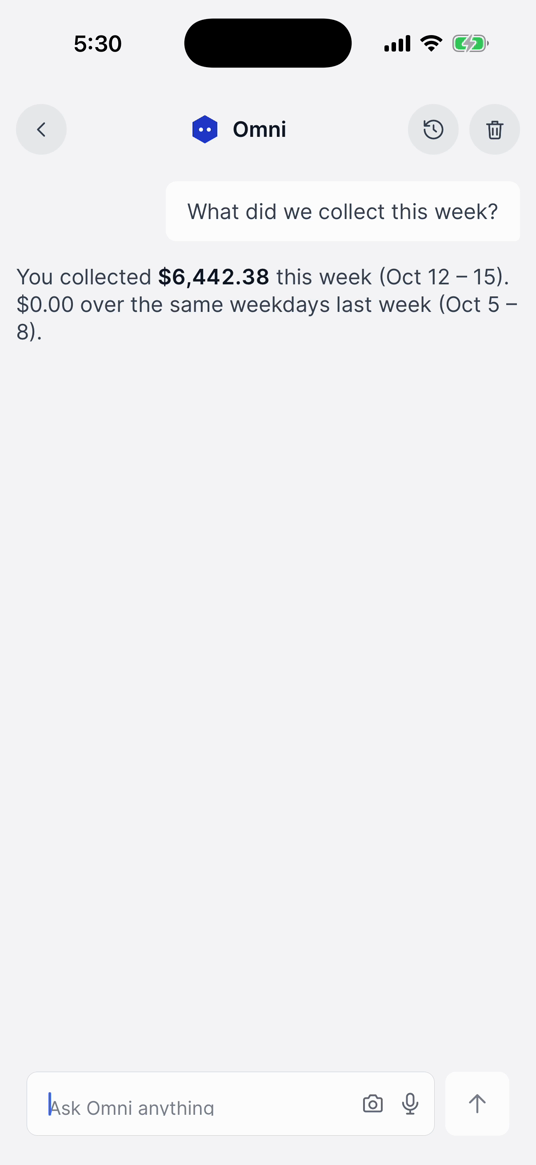
Ask Omni instead of digging through the app
Ask by voice or by typing. Omni can look up your customers, jobs, schedule, invoices and anything else in your business.
You approve the important things
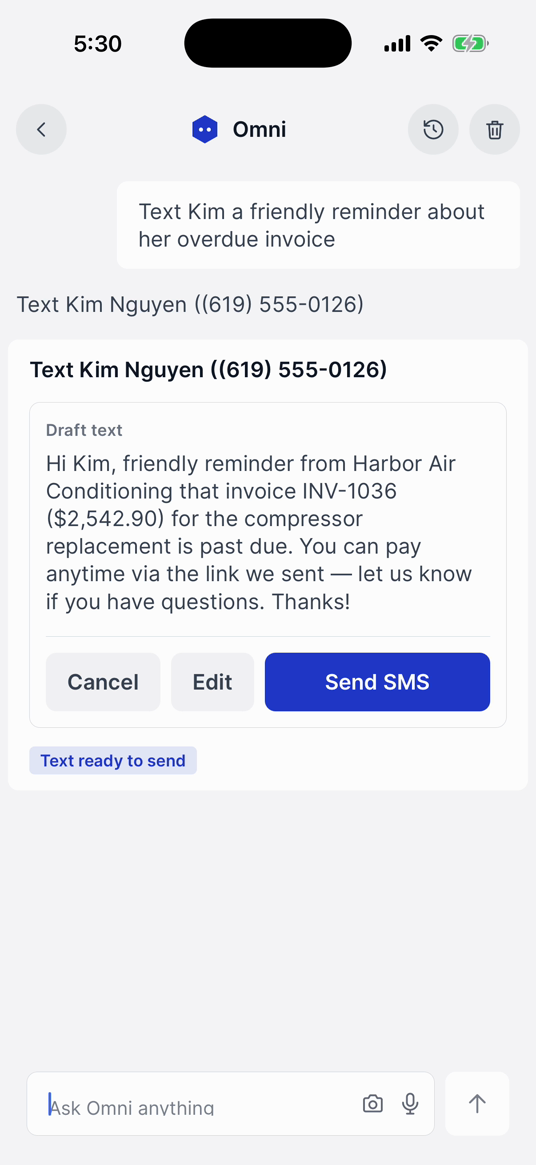
Before Omni sends something to a customer, or makes a change worth checking, it shows you exactly what it is about to do and waits for your OK.
See what Omni has done
Omni keeps a history of its actions, so you can see what changed, when it changed and which record it touched.
See Omni handle real work.
Ask a question or tell Omni what you need done. It can find information, create and update records, and stop and ask you first when an action needs your approval. All three of these are recorded on the shipped app.
“Schedule a drain cleaning for Maria Lopez next Tuesday at 8 AM”

Omni finds the customer, creates the job, books it for Tuesday at 8:00, and gives you a link to open it.
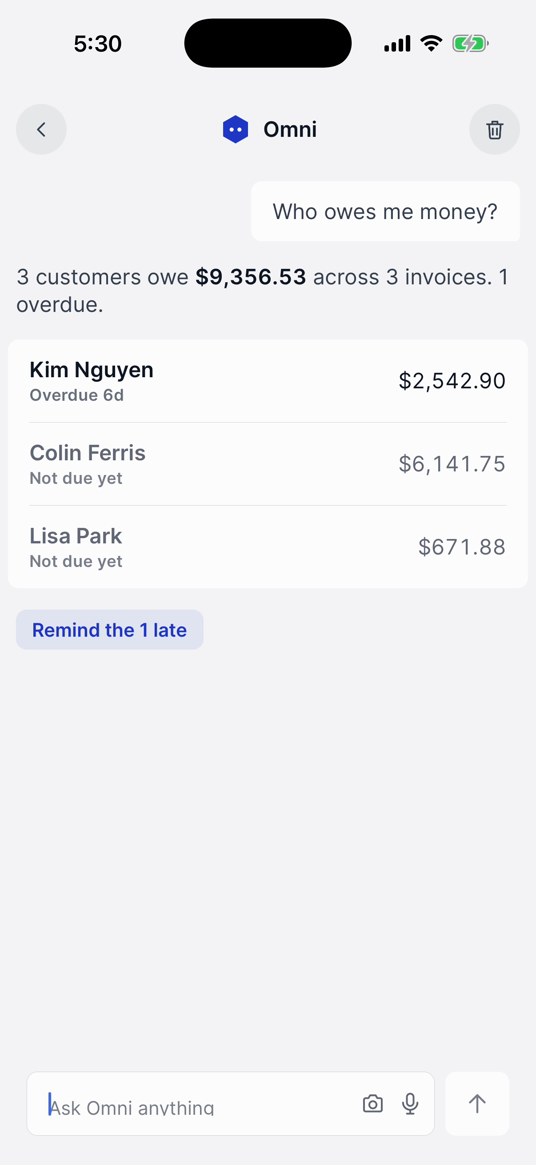
“Who still owes me money?”

Omni finds the customers with money outstanding and shows you what each one owes. It can write the follow-up too, for you to check and send.
“Move the drain cleaning to Thursday at 2 PM”

Omni finds the job, works out what moving it affects, and then asks you to confirm before it reschedules anything.
Set up for 42 trades on day one.
- HVAC
- House Cleaning
- Landscaping
- Painting
- General / Other
- Plumbing
- Maid Service
- Lawn Care
- Drywall
- Electrical
- Pressure Washing
- Tree Service
- Flooring
- Roofing
- Window Cleaning
- Pool Service
- Junk Removal
- Appliance Repair
- Roof Cleaning
- Irrigation & Sprinklers
- Moving
- Garage Door
- Solar Panel Cleaning
- Fencing
- Auto Detailing
- Locksmith
- Gutter Cleaning
- Decking & Patios
- Handyman
- Chimney & Fireplace
- Carpet Cleaning
- Concrete & Pavers
- Restoration & Water Damage
- Insulation
- Tile & Grout
- Holiday Lights
- General Contractor
- Siding
- Commercial Janitorial
- Snow Removal
- Windows & Doors
- Pest Control
Choose your trade during setup and OmniOps gives you a starting price book with the common services and line items for it. Change the pricing and the services however you want.
What it costs.
$69/month
Or $649 a year — save $179.
Includes up to 5 users, your crew as well as you. Extra users are $15 a month each.
14 days free · Cancel anytime
The day
- Today, Schedule and the dispatch board
- The day on a map, with the stops put in order
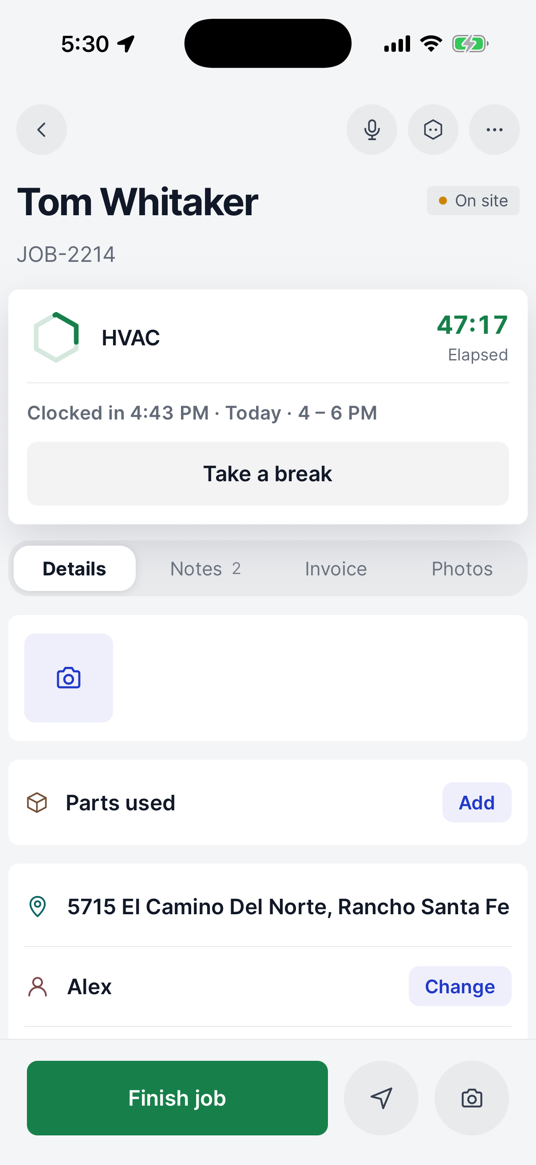
- Jobs, work orders, change orders and tasks
- Time tracking, job photos and signatures
- Keeps working with no signal, and syncs after
Money
- Quotes and estimates, invoices and contracts
- Card, cash, check, bank transfer and pay links
- Payment reminders and who still owes you
- Expenses, job costing, profit and loss
- A price book for your trade, ready to edit
Customers
- Customer records and the lead pipeline
- A booking page and a customer portal
- Reviews, referrals and memberships
- Customer inbox and team chat
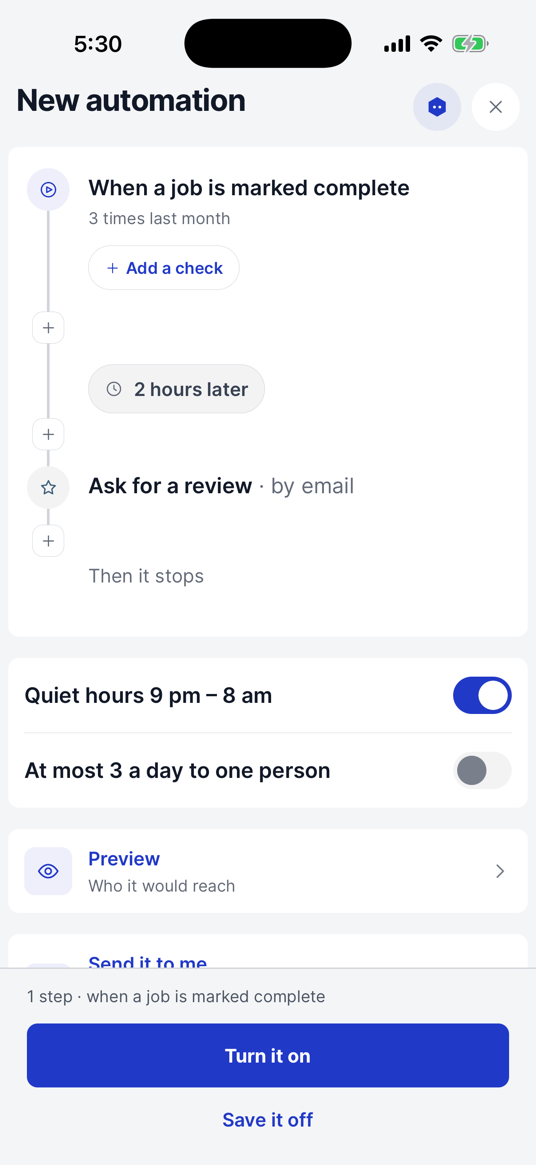
- Campaigns, follow-ups and automations
Omni AI
- Ask by voice or by typing
- Looks up your customers, jobs, schedule and invoices
- Creates jobs, updates them and books them in
- Writes customer messages for you to check
- Asks before it sends, and logs what it did
There is no higher tier to buy, and nothing above is sold separately.
You’re always in control.
Omni can prepare customer messages, estimates and other work for you. Anything that needs your approval is put in front of you first.
- Anything on its way to a customer — a text, an email, an estimate going out for signature — is shown to you before it is sent.
- Changes worth checking, like recording a payment or moving a booked job, wait for you to confirm them.
- Every action Omni takes is written to a log you can read back, so you always know what happened and when.
Try OmniOps with your real business.
Add your own customers, jobs and schedule, and see how OmniOps fits your day.
14 days free · Cancel anytime
Questions, before you start.
What is OmniOps?
OmniOps is a CRM and field-service app for home-service businesses. Leads, customers, scheduling, jobs, estimates, invoices, payments and your team all live in one app, and you run it from your phone.
What does it cost?
$69 a month, or $649 a year — paying yearly saves $179. Up to 5 people are included, your crew as well as you, and anyone after that is $15 a month. There is one plan, so there is nothing to upgrade to.
Is the AI an extra?
No. Omni AI is part of your subscription — there is no add-on to buy and no separate AI plan. It works on your own customers, jobs, schedule and invoices.
Will it send things to my customers without asking?
No. Anything on its way to a customer — a text, an email, an estimate going out — stops and shows you what it is about to send, and waits for you to say go. The same goes for changes worth checking, like recording a payment, voiding an invoice or moving a booked job. You can read back everything Omni has done in its action log.
Can my crew use it on their own phones?
Yes. Your techs get the app on their own phones, with a view of their own jobs and nothing they should not see. Up to 5 people are included in the plan; extra people are $15 a month each.
Does it work with no signal?
Mostly, yes. Before you lose signal the app has already pulled down today’s jobs, your customers and your invoices, so you can still open them. Out of signal you can start and finish jobs, clock in and out, change job details, add notes, take photos and signatures, and record a cash or check payment — it all queues up and sends itself when the phone finds a bar. Two things do need a connection: taking a card, because that goes through the card processor, and Omni, because it is answering from the internet.
Can customers pay through it?
Yes. Take a card on the spot, log cash or a check, or send a payment link by text or email and let them pay from their phone. They can also pay by bank transfer from that link. Every payment lands against the job it came from, so what is still owed is always right.
Is my trade set up already?
Pick your trade when you sign up and OmniOps fills in a price book for it — the services that trade sells, the line items under them and a price on each. It is a starting point, not a rule: change any price, rename anything, delete what you do not do. 42 trades are set up this way.
Can I bring my existing customers and jobs across?
Yes, from a spreadsheet. Export a CSV from what you use now and import your customers, leads, jobs, parts and price list — there are ready-made column layouts for Jobber, Housecall Pro and ServiceTitan, so you usually do not have to match columns by hand. Past invoices do not come across; you start invoicing in OmniOps from the day you switch.
How do I start?
Start the free trial, pick your trade, put in your business details, and add or import your customers. It takes a few minutes, and you can send your first estimate the same day. 14 days free, and you can cancel any time before it ends.
Ready to run your business from one app?
Try OmniOps free for 14 days and see how it fits your business.
14 days free · Cancel anytime
Pick your trade, add a customer, and send your first estimate today.